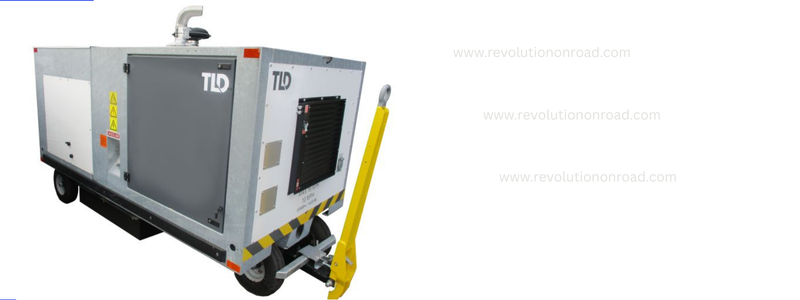
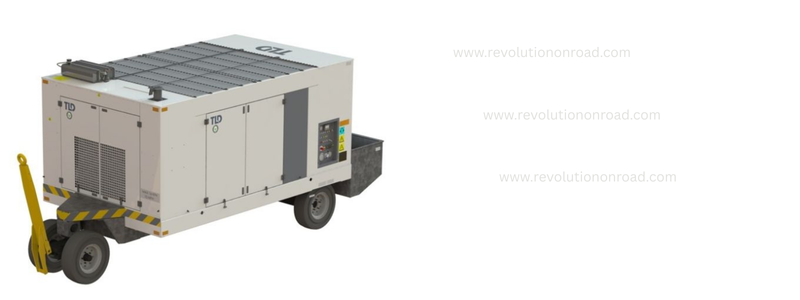
Ground Support Equipment (GSE) plays a vital role in smooth airport operations. Among these machines, the Air Conditioning Unit (ACU) by TLD is one of the most crucial, as it provides conditioned air to aircraft during ground operations. However, like every complex electrical and electronic equipment, an ACU may also face technical issues.
This comprehensive guide will help operators, technicians, and engineers understand the issue better and keep their ACU running smoothly.
Table of Contents
1. What is the Dashboard of a TLD ACU?
The dashboard of a TLD ACU is essentially the control panel with a digital or semi-digital display system. It shows real-time operational data, such as:
- Inlet and outlet air temperature
- Airflow pressure
- Oil pressure
- Coolant temperature
- Fuel level (in diesel-driven models)
- Voltage and battery status (in electric-driven models)
- Fault codes and alarms
Without the dashboard, the operator cannot monitor these parameters, and the equipment may not be operated safely.
2. Importance of the Dashboard Display in TLD ACU
The dashboard is not just a “screen” but a safety and control system. Its importance includes:
- Operational Monitoring: Allows the operator to check whether the ACU is working properly.
- Fault Indication: Displays warning messages or fault codes.
- System Protection: Prevents equipment from running under unsafe conditions.
- Efficiency Tracking: Ensures correct temperature and airflow to the aircraft.
If the dashboard shows no data, the ACU becomes almost blind, making troubleshooting and operation difficult.
3. Why Does the Dashboard Show No Data?
When a TLD ACU dashboard does not display data, it usually points to a problem in power supply, communication, or electronic control systems.
Common reasons include:
- Power Supply Failure
- Battery voltage is low.
- Alternator is not charging.
- Fuse or relay blown.
- Loose or Damaged Connections
- Wiring harness disconnected.
- Corroded connectors.
- Broken cable inside control box.
- Electronic Control Module (ECM) Failure
- ECM not responding.
- Software crash or timeout.
- Faulty printed circuit board.
- Display Unit Fault
- LCD screen damaged.
- Backlight failure.
- Faulty communication between ECM and dashboard.
- Sensor or Communication Bus Issues
- CAN bus fault.
- Faulty communication wiring.
- EMI (electromagnetic interference) disturbing signals.
4. Step-by-Step Troubleshooting Guide for tld ACU
Step 1: Check Power Supply
- Verify battery voltage with a multimeter. It should be above 24V (for 24V systems).
- Check fuses, relays, and circuit breakers related to the dashboard.
- Ensure alternator is charging when the engine is running.
Step 2: Inspect Dashboard Connections
- Open the dashboard panel and check for loose or disconnected wires.
- Clean any corroded connectors using contact cleaner.
- Tighten all harness plugs.
Step 3: Verify ECM Communication
- Connect diagnostic tools (if available) to check ECM response.
- If the ECM is not responding, reset by disconnecting and reconnecting power.
- Replace ECM if confirmed faulty.
Step 4: Check the Display Unit
- Inspect the screen for cracks or water ingress.
- Test backlight function.
- Replace the display unit if power is present but screen is blank.
Step 5: Inspect Communication Bus (CAN Bus)
- Use a diagnostic scanner to check CAN bus signals.
- Look for short circuits in the communication wiring.
- Replace damaged CAN lines.
Step 6: Test Sensors and Input Signals
- Sometimes the dashboard shows blank because sensors are not transmitting signals.
- Check temperature, pressure, and voltage sensors.
Step 7: Reset System
- Turn off main power.
- Wait 2–5 minutes.
- Restart the ACU and check if data appears.
5. How to Solve the Problem Permanently OF TLD ACU
Once the cause is identified, the permanent solutions may include:
- Battery Replacement – If the battery is weak.
- Fuse/Relay Replacement – If electrical protection components are blown.
- Connector Repair – Cleaning and replacing damaged harnesses.
- ECM Replacement/Software Update – If the electronic control module is faulty.
- Dashboard Unit Replacement – If the screen itself is damaged.
- CAN Bus Repair – Replacing broken communication wiring.
6. Preventive Maintenance Tips OF TLD ACU
To avoid future issues of no data on dashboard, follow these maintenance practices:
- Regular Battery Checks – Ensure battery voltage is maintained and charging system is working.
- Clean Connectors – Use dielectric grease or contact cleaner to prevent corrosion.
- Update ECM Software – Keep the latest firmware.
- Routine Dashboard Inspection – Check display brightness, data refresh rate, and warning lights.
- Moisture Protection – Prevent water entry in dashboard and control box.
- Scheduled Diagnostics – Use OEM diagnostic tools periodically.
7. Safety Precautions While Troubleshooting
- Always switch off power before opening dashboard panels.
- Use insulated tools to prevent electric shock.
- Follow lockout/tagout procedures.
- Wear protective gloves and safety glasses.
- Never bypass safety relays or fuses during testing.
8. Expert Tips for Technicians
- If “no data” occurs after battery disconnection, always reset ECM.
- If the dashboard intermittently shows data, check for loose ground connection.
- Keep a spare display unit and ECM for quick replacement.
- Document every repair in a logbook for future reference.
10. Conclusion
The “no data on dashboard” issue in a TLD ACU is a common but solvable problem. The root cause usually lies in power supply, wiring, ECM failure, or the dashboard display unit itself. With systematic troubleshooting – starting from checking power, then connections, then ECM and communication – the problem can be identified and solved efficiently.
By following preventive maintenance practices, operators can minimize downtime and keep the ACU running reliably. Remember, the dashboard is the heartbeat of the ACU, and keeping it functional ensures safety, efficiency, and uninterrupted ground operations.
С получением профессиональной помощи в решении юридических вопросов вы можете обратиться к консультации по уголовным делам, где можно получить юридическую консультацию круглосуточно и бесплатно.
Портал ‘konsultaciya-advokata81.ru’ предлагает множество юридических решений для своих клиентов.
мини токарный станок с чпу по металлу купить https://stankiklass.ru/
Получите бесплатную юридическую консультацию онлайн, чтобы оперативно решить все ваши юридические вопросы!
Посетите konsultaciya-advokata91.ru и поинтересуйтесь о наших услугах прямо сейчас!
Обратитесь за помощью к профессионалам на бесплатная юридическая помощь, и получите квалифицированное решение своих вопросов.
ресурс yuridicheskaya-konsultaciya34.ru предлагает профессиональные юридические услуги, направленные на решение различных правовых вопросов. Группа квалифицированных специалистов готова помочь вам в самых сложных ситуациях. Понимая, что правовые проблемы могут быть стрессовыми, мы предлагаем индивидуальный подход к каждому клиенту.
В нашем арсенале широкий спектр услуг, включая консультации по гражданским и уголовным делам. Настоятельно рекомендуем связаться с нами по вопросам, связанным с трудовым правом, семейными делами и другими юридическими аспектами. Мы понимаем, что каждая ситуация требует индивидуального подхода, и готовы предложить оптимальное решение.
Мы гордимся нашей репутацией как надежный партнер в сфере юриспруденции. Мы получаем положительные отзывы от клиентов за высокое качество обслуживания и результативность. Все наши юристы имеет опыт работы в различных областях права и готов поддержать вас в любое время.
Не откладывайте решение своих проблем , чтобы получить квалифицированную юридическую помощь. Наша команда будет рада проконсультировать вас . Не упустите шанс обратиться за помощью на yuridicheskaya-konsultaciya34.ru.